Self-Hosted Obsidian Sync on Kubernetes: GitOps the Right Way

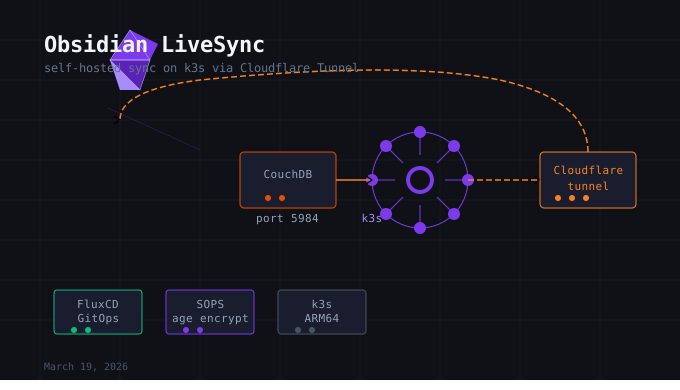
I have been using Obsidian for a while now and the one thing that was nagging at me was sync. The official Obsidian Sync is fine, but I run a k3s cluster on a Raspberry Pi 4 that already handles of apps and services. There was no reason to pay for sync when I had infrastructure sitting right there.
This post walks through how I deployed Obsidian LiveSync on my cluster using CouchDB as the backend, FluxCD for GitOps, SOPS for secret management, and Cloudflare Tunnels for secure tls encryption. No open ports, no ingress controller, no special certificates. Just Git as the source of truth and a tunnel doing the heavy lifting.
What Is Obsidian LiveSync
Obsidian LiveSync is a community plugin that syncs your vault across devices using a CouchDB database as the intermediary. Every change gets replicated to the database, and every device pulls from it. It supports end-to-end encryption, which means even if someone gained access to your CouchDB instance, they would see encrypted blobs and nothing else.
CouchDB is a good fit here because it speaks HTTP natively and has a mature replication protocol. LiveSync was built specifically around it.
Architecture
Before touching any files, it helps to understand what we are actually building.
Obsidian (any device)
        |
        | HTTPS
        v
Cloudflare Edge -> Cloudflare Tunnel
                          |
                          | outbound only, no open ports
                          v
                 obsidian-sync namespace
                 +-----------------------+
                 | cloudflared (x2)      |
                 |   forwards to         |
                 | couchdb Service       |
                 |   port 5984          |
                 +-----------+----------+
                             |
                     PersistentVolumeClaim
                     5Gi local-path
Cloudflared runs as a separate Deployment in the same namespace as CouchDB. It reaches CouchDB through the Kubernetes Service by its DNS name. Since they share a namespace, the short name couchdb resolves without needing the full couchdb.obsidian-sync.svc.cluster.local path.
Two cloudflared replicas means if one pod restarts, the tunnel stays up. CouchDB runs as a single replica because it is a stateful database and you never want two instances writing to the same PVC simultaneously.
Repository Structure
My cluster follows a apps/base and apps/staging Kustomize pattern. Base holds environment-neutral app definitions. Staging holds environment-specific overlays, which in this case means the Cloudflare tunnel configuration and secrets.
apps/
├── base/
│   └── obsidian-sync/
│       ├── kustomization.yaml
│       ├── namespace.yaml
│       ├── configmap.yaml
│       ├── pvc.yaml
│       ├── deployment.yaml
│       └── service.yaml
│
└── staging/
    └── obsidian-sync/
        ├── kustomization.yaml
        ├── cloudflare.yaml
        └── secret.yaml          <- SOPS encrypted
No secrets live in base. They all land in staging, encrypted before they ever touch Git.
The Namespace
Every application gets its own namespace. This is a hard security boundary in Kubernetes. Resources in different namespaces cannot talk to each other by default once NetworkPolicies are in place. It also keeps things clean when you are running a dozen services and need to scope a kubectl get pods to something meaningful.
apiVersion: v1
kind: Namespace
metadata:
  name: obsidian-sync
  labels:
    app.kubernetes.io/name: obsidian-sync
Storage
CouchDB needs persistent storage. Containers are ephemeral by design, so without a PersistentVolumeClaim, every pod restart wipes your vault data. My cluster uses the k3s default local-path storage class, which provisions directories on the node’s local disk.
apiVersion: v1
kind: PersistentVolumeClaim
metadata:
  name: couchdb-pvc
  namespace: obsidian-sync
spec:
  storageClassName: local-path
  accessModes:
    - ReadWriteOnce
  resources:
    requests:
      storage: 5Gi
ReadWriteOnce means only one pod can mount this volume at a time. That is correct for CouchDB in single-node mode.
The CouchDB Deployment
A few things worth highlighting in the deployment.
Pinned image version. Never use latest in production. A latest tag means the image can silently change under you on the next pod restart. I pin to couchdb:3.3.3 (which I will update).
Recreate strategy. CouchDB is a database. The default Kubernetes rollout strategy is RollingUpdate, which briefly runs two instances simultaneously. For a stateful app writing to a single PVC, that is asking for data corruption. Recreate stops the old pod completely before starting the new one.
Volume mount into local.d. CouchDB loads configuration files from /opt/couchdb/etc/local.d/ as overrides on top of its defaults. Mounting into this directory rather than overwriting local.ini directly means CouchDB keeps all its required defaults and only your settings are layered on top.
No security context. I initially added runAsUser: 5984 and runAsNonRoot: true following security hardening guidelines. The official CouchDB ARM64 image runs as root internally, and the security context caused the container to crash before writing a single log line. I removed it for now. This is a known tradeoff and something to revisit with a custom image or init container that handles ownership before the main process starts.
The relevant parts of the deployment:
spec:
  replicas: 1
  strategy:
    type: Recreate
  template:
    spec:
      containers:
        - name: couchdb
          image: couchdb:3.3.3
          env:
            - name: COUCHDB_USER
              valueFrom:
                secretKeyRef:
                  name: couchdb-secret
                  key: COUCHDB_USER
            - name: COUCHDB_PASSWORD
              valueFrom:
                secretKeyRef:
                  name: couchdb-secret
                  key: COUCHDB_PASSWORD
          volumeMounts:
            - name: couchdb-data
              mountPath: /opt/couchdb/data
            - name: couchdb-config
              mountPath: /opt/couchdb/etc/local.d/custom.ini
              subPath: local.ini
              readOnly: true
The subPath on the config mount is important. Without it, Kubernetes mounts the entire ConfigMap as a directory, replacing everything in local.d including the README the image ships with. SubPath lets you inject a single file cleanly.
CORS Configuration
LiveSync connects to CouchDB from inside the Obsidian app, which runs at origins like app://obsidian.md on desktop and capacitor://localhost on mobile. Without CORS headers, the app’s requests get blocked before credentials are even sent.
I initially tried to configure this via a ConfigMap mounted as custom.ini. That caused CouchDB to crash on ARM64 with no logs, which took some debugging to isolate. The fix was to configure CORS directly through the CouchDB API, which persists the settings in the database itself rather than in a file.
# Enable CORS
curl -X PUT http://adminexample:$(kubectl get secret couchdb-secret \
  -n obsidian-sync -o jsonpath='{.data.COUCHDB_PASSWORD}' | base64 -d)\
  @localhost:5984/_node/_local/_config/httpd/enable_cors -d '"true"'

# Lock origins to Obsidian app schemes only
curl -X PUT http://adminexample:$(kubectl get secret couchdb-secret \
  -n obsidian-sync -o jsonpath='{.data.COUCHDB_PASSWORD}' | base64 -d)\
  @localhost:5984/_node/_local/_config/cors/origins \
  -d '"app://obsidian.md, capacitor://localhost, http://localhost"'
The password never appears in plain text in history because the $() subshell pulls it from the Secret at runtime. This is the right habit to build.
The Cloudflare Tunnel
Rather than a sidecar inside the CouchDB pod, I run cloudflared as a separate Deployment. This mirrors how Vikunja and Linkding are set up in my cluster. Each app gets its own tunnel and its own cloudflared Deployment, which keeps services independent. If Vikunja’s tunnel has a problem, it does not affect Obsidian sync.
The tunnel is created with the CLI:
cloudflared tunnel create obsidianThis generates a credentials JSON file at ~/.cloudflared/<tunnel-id>.json. That file is what authorizes cloudflared to run the tunnel. It goes into a Kubernetes Secret, encrypted with SOPS before committing.
The ConfigMap defines the tunnel routing:
data:
  config.yaml: |
    tunnel: 1b2213-2r53-415e-97e9-b29570a775t3
    credentials-file: /etc/cloudflared/creds/credentials.json
    metrics: 0.0.0.0:2000
    no-autoupdate: true
    ingress:
      - hostname: <enter.your.app.name>
        service: http://couchdb:5984
      - service: http_status:404
no-autoupdate: true is critical in Kubernetes. Cloudflared normally tries to update itself in place. In a container environment, updates should go through your image tag and GitOps pipeline, not through the running process modifying itself.
The catch-all http_status:404 at the bottom is required. Without it, cloudflared refuses to start because it has no rule for unmatched traffic.
Secrets and SOPS
All secrets live in apps/staging/obsidian-sync/secret.yaml. One file, two Kubernetes Secret resources separated by ---. CouchDB credentials and tunnel credentials together. No secrets in base.
Before committing:
sops --config clusters/staging/.sops.yaml -e -i apps/staging/obsidian-sync/secret.yamlMy .sops.yaml lives at clusters/staging/ rather than the repo root, so the --config flag is required. Flux handles decryption at apply time using the age key referenced in clusters/staging/apps.yaml.
The apps.yaml Kustomization already had SOPS configured:
decryption:
  provider: sops
  secretRef:
    name: sops-age
No additional setup needed. Flux decrypts automatically on reconciliation.
Flux Discovery
My cluster’s apps.yaml points Flux at ./apps/staging and Flux auto-discovers every subfolder containing a kustomization.yaml. Adding obsidian-sync to staging meant creating the folder with a valid kustomization file. No parent registry to update.
flux reconcile kustomization apps --with-sourceThe --with-source flag forces Flux to re-fetch from Git before reconciling. Without it, Flux reconciles from its last cached fetch, which may not include your latest commit.
Debugging Notes
A few things I ran into that are worth documenting.
CouchDB crashing with no logs. When a container exits with code 1 before writing anything, it usually means the process failed before any logging infrastructure was initialized. In this case it was the security context. The ARM64 CouchDB image runs as root and the runAsUser: 5984 prevented it from accessing its own files. Removing the security context resolved it.
ConfigMap mount crashing CouchDB. Mounting into /opt/couchdb/etc/local.ini replaces a file the image needs to bootstrap. Mounting into local.d/custom.ini is the correct approach but still caused crashes in my testing, which led me to configure CORS via the API instead. The API approach is actually more correct for production since the settings survive ConfigMap changes without a pod restart.
502 from Cloudflare. This appeared right after CouchDB came back healthy. Cloudflare periodically rotates tunnel connections and the timing coincided with the test. Waiting a few seconds and retrying resolved it. The Service endpoints were correctly registered the whole time.
Password in CLI history. Every curl command uses $(kubectl get secret ... | base64 -d) to inject the password at runtime rather than typing it directly. This keeps the plaintext value out of ~/.bash_history.
End-to-End Encryption
The LiveSync plugin supports encrypting vault contents before they leave your device. Even with authentication required on CouchDB and TLS provided by Cloudflare, E2E encryption means the server only ever sees encrypted blobs. If CouchDB credentials were compromised, the note contents would remain unreadable.
The E2E passphrase is separate from the CouchDB password. They serve different purposes: one controls who can connect, the other controls what can be read. Keep the passphrase somewhere safe. If it is lost, the data on the server is unrecoverable.
What Is Next
The security context is the main unresolved item. The right fix is probably an init container that sets ownership on the data directory before the main CouchDB process starts, allowing the runAsNonRoot enforcement to be added back. That is a clean pattern and worth doing properly rather than shipping without it.
The CORS configuration applied via API is not in Git anywhere right now. If the PVC is ever deleted and recreated, those settings would need to be reapplied manually. A proper fix is a Job that runs once after CouchDB starts and sets the CORS configuration, making it reproducible. Something to add in a future iteration.
For now, vault sync is working across devices, the data is encrypted end-to-end, external access is through a Cloudflare Tunnel with no open ports, and the entire deployment is committed to Git. That is the core of what I was trying to build.
If it is not in Git, it does not exist.
Built with ❤️ by Jonathan — If it is not in Git, it does not exist.