Dashboard (Longhouse)
Longhouse is a web dashboard for a Valheim server: who’s online, the in-game day and time, boss progress, leaderboards, a “when do we play” heatmap, an activity feed, and armory-style player profiles with a drawn character and their gear.
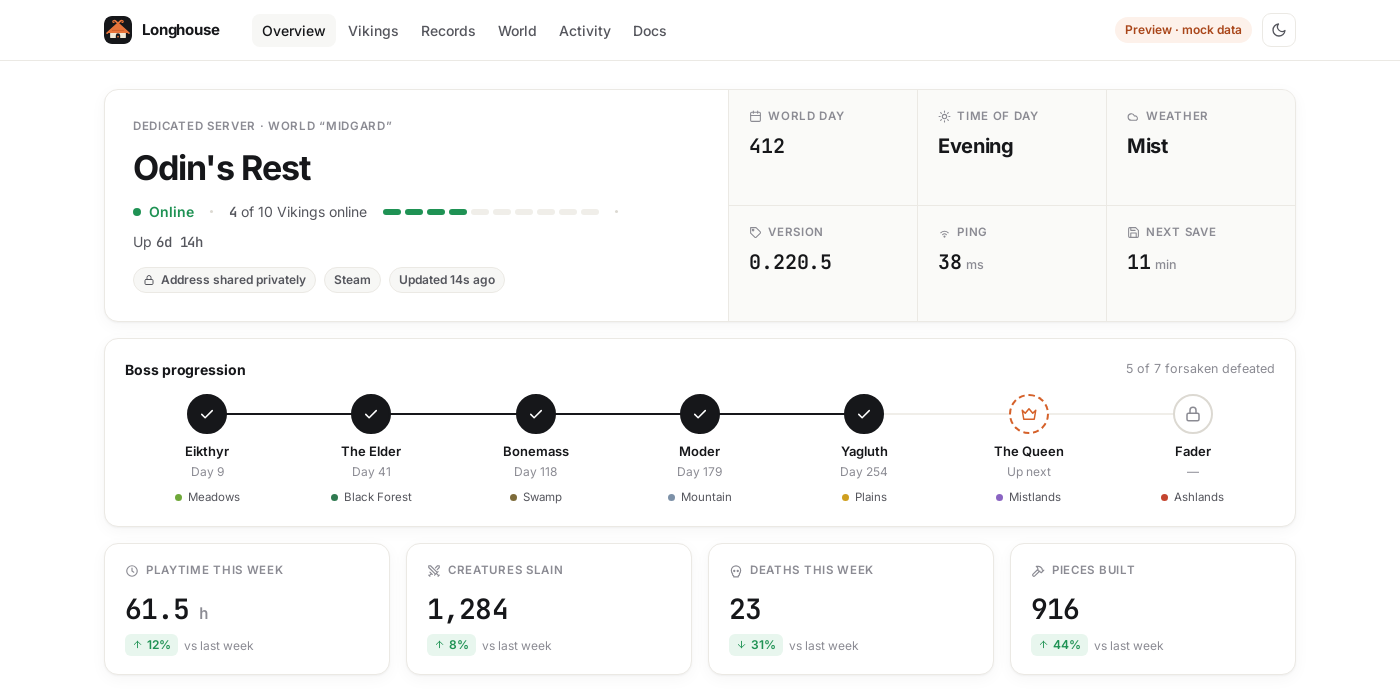
Open the demo Longhouse on GitHub
It’s a separate project with its own repo, image, releases and docs. This server runs fine without it. This page covers how the two fit together. For everything else, see the Longhouse docs.
How they connect
flowchart LR
    V[valheim container] -->|server log| P[docker-socket-proxy, read-only]
    P --> L[longhouse container]
    V -->|Steam query port 2457| L
    L -->|127.0.0.1:8080| T[Cloudflare Tunnel or reverse proxy]
    T --> B[Your group's browsers]
- Longhouse reads the Valheim container’s log through a read-only Docker socket proxy and asks the server’s Steam query port for live status. It never mounts or writes your world.
- It listens only on
127.0.0.1:8080. Put a Cloudflare Tunnel (with Access) or a reverse proxy in front of it, so you don’t need to forward another port. - Its container carries the Watchtower label, so the Watchtower from this repo keeps it updated too.
1. Run Longhouse next to the server
On the same host:
git clone https://github.com/MrGuato/valheim-game-dashboard.git
cd valheim-game-dashboard/deploy
cp .env.example .env
In its .env, match this server:
VALHEIM_CONTAINER=valheim        # CONTAINER_NAME from this repo's .env
VALHEIM_QUERY_PORT=2457          # QUERY_PORT from this repo's .env
docker compose up -d
Open http://127.0.0.1:8080 on the host (or through an SSH tunnel). You’ll see status, players, sessions, deaths and the heatmap right away.
2. Optional: the server plugin
The Longhouse server plugin adds each online player’s character figure, visible gear, biome and health, plus kills per creature and building pieces per player. It’s a BepInEx plugin that runs on the server only, so players install nothing and their achievements aren’t affected (see Mods).
- Turn on BepInEx in this repo’s
.envand recreate the container:BEPINEX=true./valheim update - Build
Longhouse.Server.dllas described in the plugin README. - Stop the server, copy the plugin in, start it again:
./valheim stop cp Longhouse.Server.dll config/bepinex/plugins/ ./valheim start - Once the world has loaded,
./valheim logsshows a line likeLH1 {"t":"hello","plugin":"0.3.1"}, and the character figures on the dashboard fill in.
To update the plugin, repeat step 3. Always stop the server first: replacing the DLL while it runs can crash the server later (see Mods).
Privacy
Longhouse hashes Steam IDs before storing anything and never shows the server address. With LONGHOUSE_PASSWORD, or Cloudflare Access in front of it, only your group can open it.