
Muster
Raise, command and tune your mod-playerbots bots from one panel.
Download the latest release Install in two minutes
What you can do with it
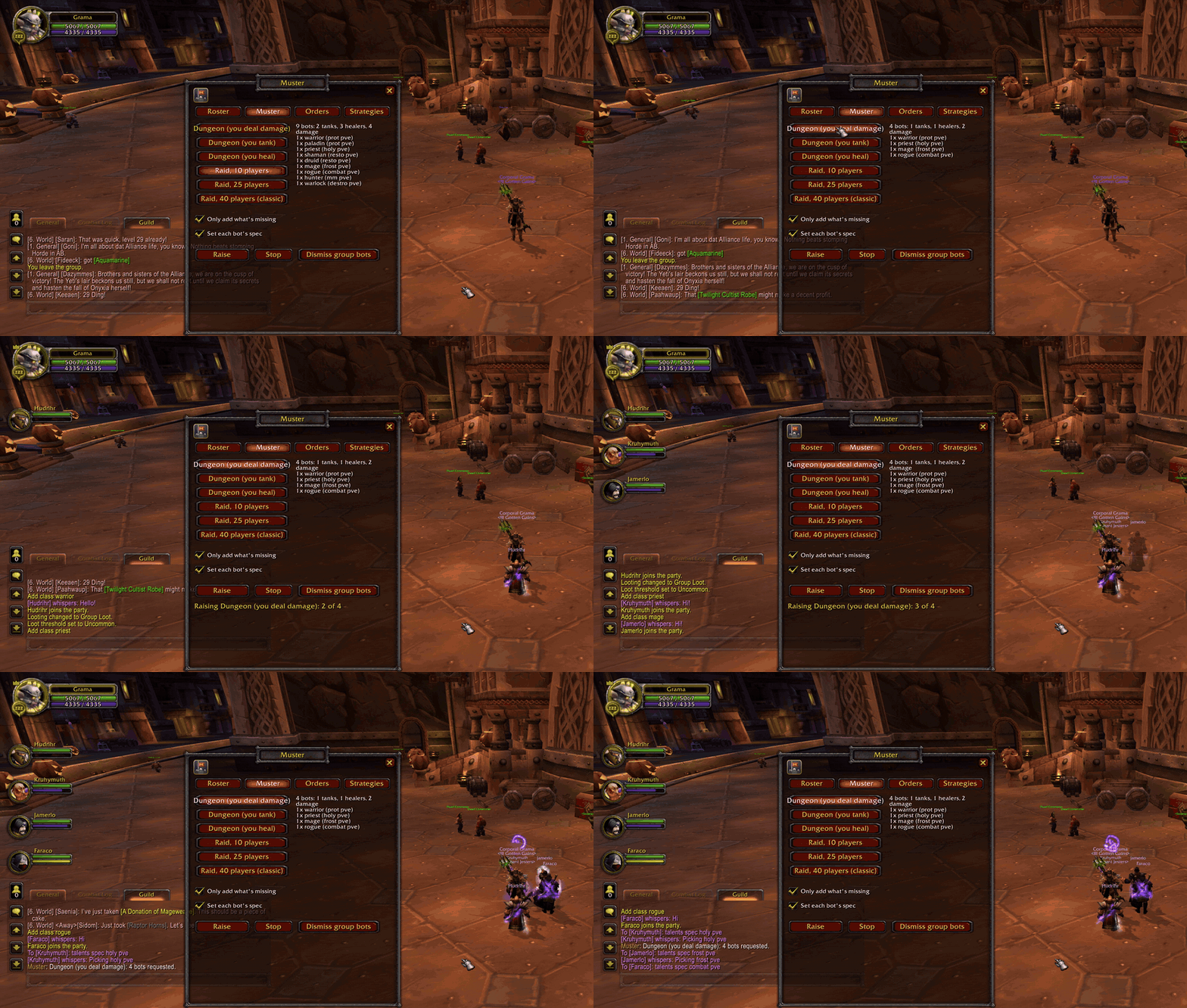
Raise a group in one click. Pick a template (a 5-man where you tank, heal or deal damage, a 10, a 25, or a classic 40-man raid) and press Raise. Muster asks the server for each bot in turn, and when a bot joins it tells it the spec its slot needs, so the tank slot gets a tank. With Only add what’s missing on, it counts what your group already has first.
Give orders without typing. Follow, stay, attack, tank in, pull, flee, summon and more, sent to everyone, to one role (tanks, healers, damage, melee, ranged), or to one bot. The five you use most can go on key bindings.
Tune each bot. Read a bot’s in-combat and out-of-combat strategies and switch them with checkboxes, each with a tooltip saying what it does. Turn on avoid aoe for the whole raid with one click.
One-click command bar. Every command as an icon on a small bar, with a tooltip saying exactly what it sends. Pin the ones you use most.
See your roster. Every bot your account can log in, in class colours, with who’s online and who’s in your group. Add one of any class from its icon.
Is it for me?
You need a WoW 3.3.5a client and an AzerothCore server running mod-playerbots: your own server, or one whose admin lets players add bots. Muster has no server part; it uses the chat commands mod-playerbots already understands. See Server settings for the two settings that matter.
Where to go next
- Installation: unzip, log in,
/muster. - Using Muster: every tab, button and option.
- Commands: the slash command, the key bindings, and every line Muster sends to the server.
- Server settings: what the server needs to allow.
- Troubleshooting: when bots don’t show up or don’t listen.
Muster is written from scratch and was inspired by UnBot, the original playerbots control addon.